Why Nothing's Milk Carton Speaker S Is Worth the Desk Space
CMF's quirky Bluetooth speaker is down to $39, but does its unique design actually deliver clean sound?

When audio brands try to reinvent the Bluetooth speaker, we usually end up with some bizarre rubberized cylinder that looks like an energy drink can. But Nothing's sub-brand CMF took a genuinely fun swing by modeling their latest desktop speaker after an old-school milk carton, and people are actually buying it.
Priced at $39 during early sales, this little 45mm driver setup forces us to look past the marketing gimmick and figure out whether it holds its own against standard portable audio boxes.
CMF Speaker S

The industrial design is the main selling point here, featuring flat angles and a tactile finish that stands out in a sea of boring black boxes. It houses a single 45mm active driver paired with dual passive radiators tucked inside the chassis to handle the low-end thump without distorting at medium volumes.
Battery life claims hover around 18 hours depending on how hard you push the amplifier, making it a solid candidate for a permanent desk buddy or a casual patio companion.
CMF Speaker M
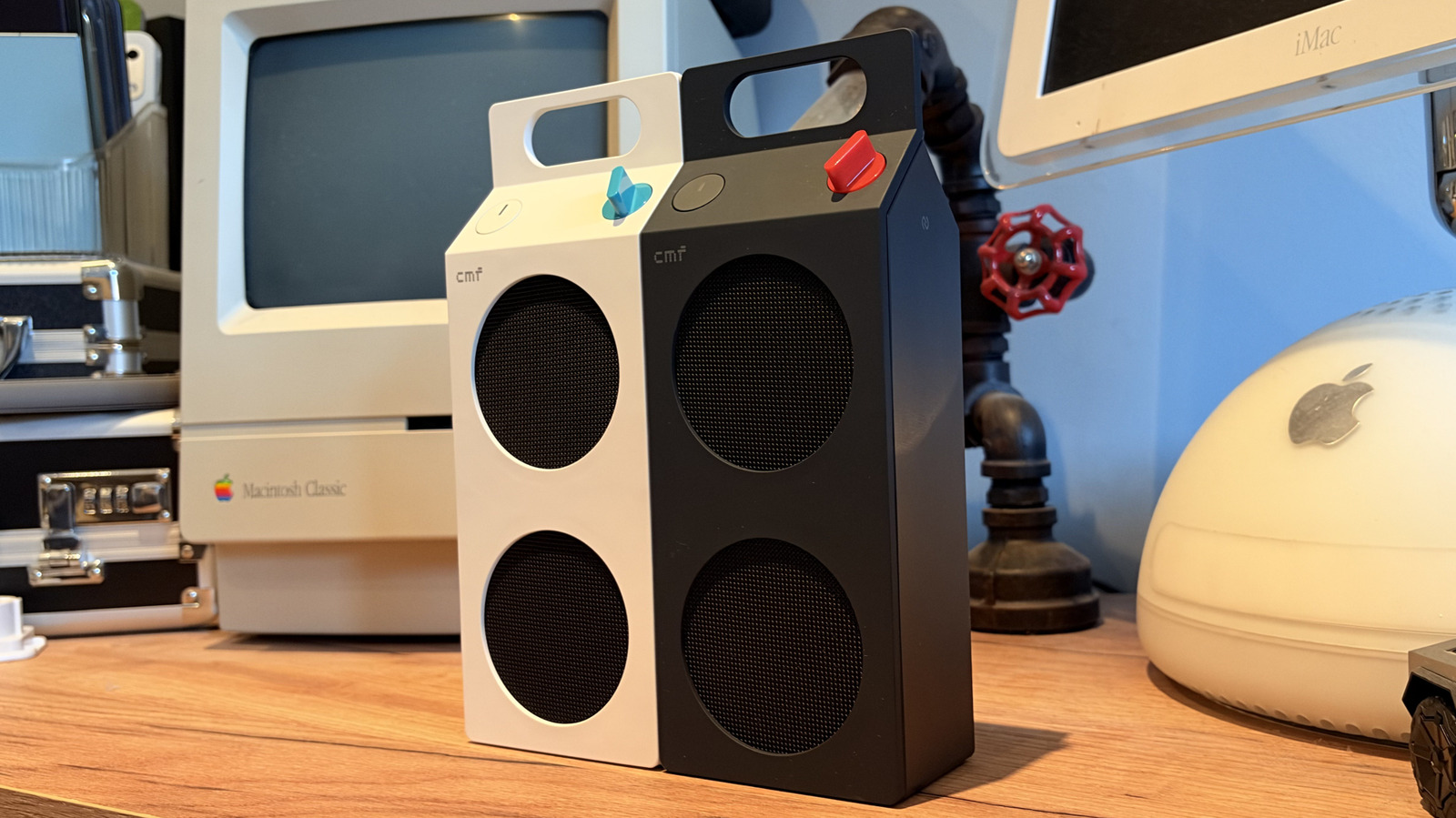
If the pocket-sized footprint of the Speaker S leaves you wanting more headroom, Nothing also discounted its larger sibling, the Speaker M, down to $79. It adds more physical volume for larger rooms and deeper bass response.
However, if your primary goal is finding something unobtrusive that sits next to your monitor without stealing all your mousepad real estate, the smaller S variant remains the sweeter deal.
Amazon and Nothing Storefronts

Grabbing one of these units is straightforward since they are currently discounted across both Amazon and Nothing's official web store. Just keep an eye out for third-party scalpers trying to flip the promotional pricing once stock runs low.
Have you tried any of CMF's budget-friendly hardware yet, or are you sticking with traditional audio brands for your desktop setup?
How to Pair and Optimize Your CMF Speaker S Step-by-Step
What You Need Before Starting: CMF Speaker S, USB-C charging cable, smartphone or PC with Bluetooth 5.3 support, and the Nothing X app.
- Step 1: Unbox the speaker and charge it using the included USB-C cable for at least 30 minutes to top off the battery cell.
- Step 2: Press and hold the physical power button on the side of the speaker until the status LED begins pulsing white to enter pairing mode.
- Step 3: Open the Bluetooth settings menu on your phone, tablet, or computer and select 'CMF Speaker S' from the list of available devices.
- Step 4: Download and open the Nothing X companion app on iOS or Android to check for firmware updates and adjust the internal equalizer presets.
- Step 5: Play a familiar reference track to test the dual passive radiators and verify that the low-end frequencies do not rattle against your desk surface.
Troubleshooting: What If Something Goes Wrong?
PROBLEM 1: The speaker refuses to enter Bluetooth pairing mode and the LED stays solid.
THE FIX: Perform a hard reset by holding down both the power button and volume down button simultaneously for 10 seconds until the LED flashes red and white.
PROBLEM 2: Audio sounds muffled or tinny when connected to a Windows PC.
THE FIX: Go to Windows Sound Settings, select the CMF Speaker S properties, and ensure the default audio format is set to 24-bit, 48000 Hz studio quality instead of hands-free telephony mode.
PROBLEM 3: The Nothing X app cannot detect the speaker even though it is actively playing music.
THE FIX: Turn off your phone's Bluetooth, toggle location permissions for the Nothing X app on, and restart the pairing process from scratch.
Original step-by-step tech guide & analysis by KejaniTech. Tried this guide or ran into a question? Drop a comment below!


Comments
Post a Comment